
The C:\Windows\WindowsUpdate.log file is the first basic log file where you can find helpful information when you try to investigate on the installation of updates.
However, it is complex to read because the data comes from multiple sources.
Among them you have:
- agent
- report
- setup
- misc
- sls
- ep
- idletmr
- au
- PT
- wutask
- dnldmgr

In this case, PowerShell is your friend.
Just use the Select-String cmdlet, and everything becomes immediately clearer.
For example:
Select-String -Pattern '\sagent\s' -Path C:\Windows\WindowsUpdate.log | Select-Object -Last 200
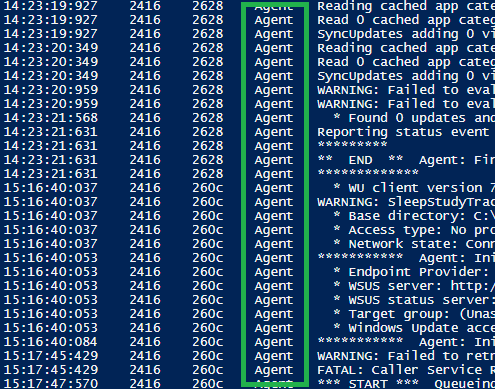
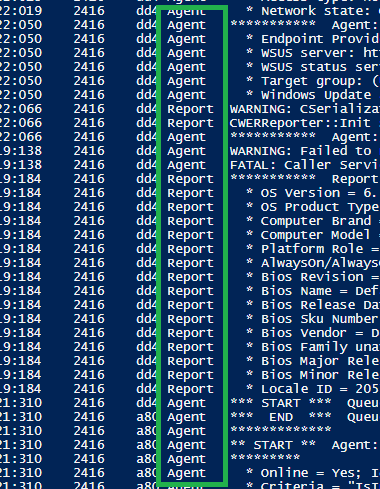
And you can even get several sources together by using a pipe “|” character in the search pattern.
For example, if you want to see both the agent and the report source:
Select-String -Pattern '\sagent\s|\sreport\s' -Path C:\Windows\WindowsUpdate.log | Select-Object -Last 200
 itluke.online