
So you noticed that when you pipe some cmdlets to the Select-Object cmdlet, you can hit the TAB key and enumerate all properties of the former cmdlet.
And this works with other cmdlets too. Here is a non-exhaustive list:
- ForEach-Object
- Format-Custom
- Format-List
- Format-Table
- Format-Wide
- Measure-Object
- Select-Object
- Sort-Object
- Where-Object

Now you want to do the same with your function/script/cmdlet but it doesn’t work… Huh!
Let’s work on a simple example:
function test{
    param(
        [int]$Number
    )

    [PSCustomObject]@{
        InitialNumber = $Number
        Twice = $Number * 2
    }
}
This basic function takes the number you give as a parameter and computes the double.
2 steps
Step one: Use the OutputType attribute
All the cmdlets listed above use the OutputType attribute from the former cmdlet/function/script to know which type of object is coming down the pipeline.
So you have to declare it before the param() section.
function test{

    [outputtype('MyType')]

    param(
        [int]$Number
    )

    [PSCustomObject]@{
        InitialNumber = $Number
        Twice = $Number * 2
    }
}
But which type will you declare?
Because you are really outputting a PSCustomObject you would be tempted to declare a PSCustomObject.
But as you notice, you won’t get the expected properties…
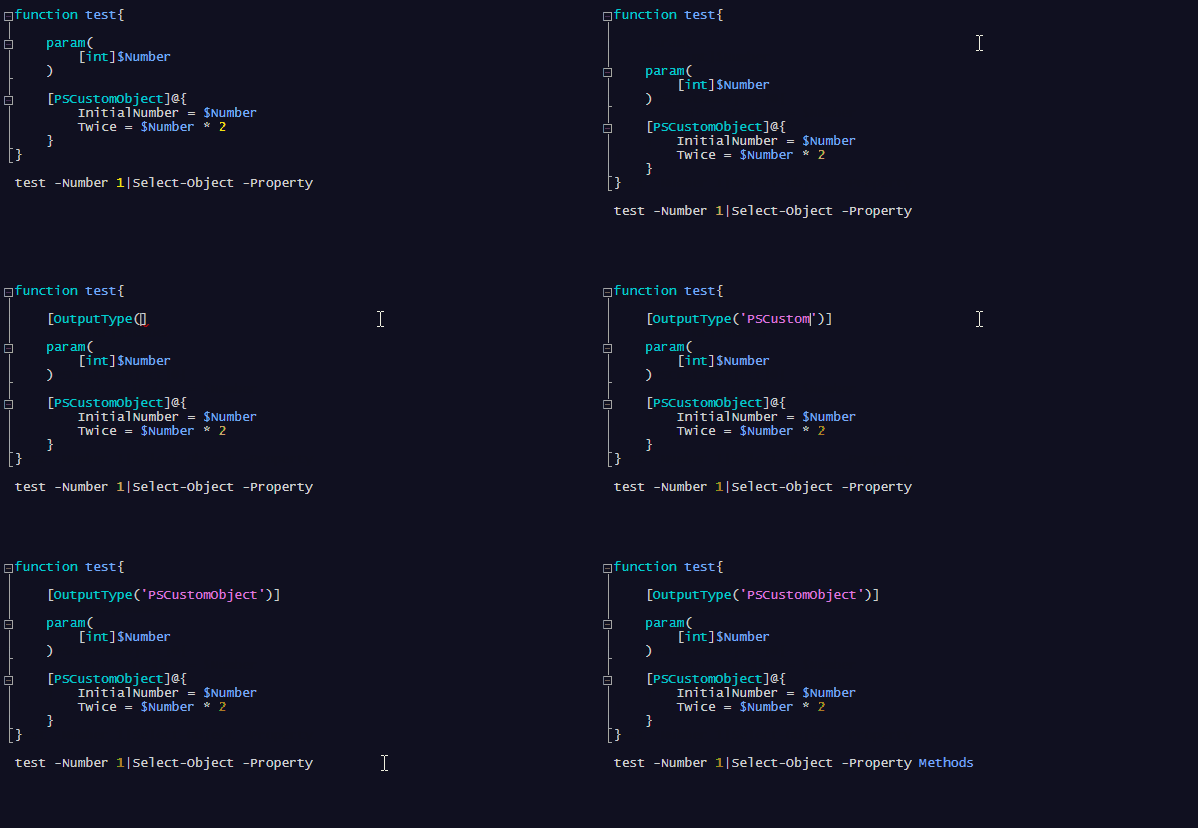
In fact, you get the properties of a basic PSCustomObject, and what you want are 2 properties:
- InitialNumber
- Twice
Step two: Create your own class
Please stay here for a few more seconds! You don’t need to be a “class” expert to make the second step. It is really easy.
Before the function section, create a class section (which looks like a Param() section) and name it with your own type. And this is the type name you will use for the OutputType attribute.
class MyType{
    [int]$InitialNumber
    [int]$Twice
}

function test{

    [OutputType('MyType')]

    param(
        [int]$Number
    )

    [PSCustomObject]@{
        InitialNumber = $Number
        Twice = $Number * 2
    }
}

That’s it :)
 itluke.online
2 thoughts on “PowerShell functions for which cmdlets can autocomplete properties”