
I had a server on which cumulative updates were successfully installing again and again.
I thought that maybe the cumulative update of the next month would fix the issue, but unfortunately, this didn’t happen. The next cumulative update was successfully installing again and again.
After installing updates one by one and restarting after each installation, I discovered that the blocking one was the Security Monthly Quality Rollup.
In the event log, the update was each time successfully changed to the Installed state.

And in the update history, the update was also listed as successfully installed several times.

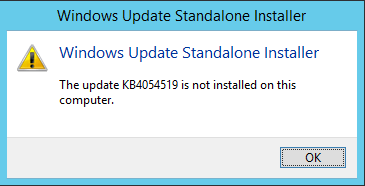
Oddly, when I wanted to uninstall the update, I got an error message saying that the update is not installed.
To investigate further with Windows Update problems, we can have a look at the following log files:
- C:\Windows\WindowsUpdate.log
- Files in C:\windows\Logs\CBS
And here are some interesting keywords:
- fatal
- failed
- error
- warning
- rollback
- Rolling back
For example, when you search for the error keyword
Select-String -Pattern 'error' -Path C:\windows\Logs\CBS\*
When you want to have a look at the lines before and after the matching line, you can use the Context parameter to the Select-String cmdlet.
For example, if you want to see the ten previous and the ten following lines:
Select-String -Pattern 'error' -Path C:\windows\Logs\CBS\* -Context 10
In my case, the Rolling back keyword could be found in a CBS log file and was very helpful.

When I watched the lines after and before the rollback lines, I discovered that the culprit was, in fact, a disk driver which I had to reinstall.
 itluke.online