
Context
While trying to rename a volume you get the following error:
WARNING: The volume label is not valid.
Set-Volume : Invalid Parameter
However you are sure there is no problem with the name itself. For
example, renaming your volume to test doesn’t work neither.
The reason
Your disk may be write protected.
To verify this point do the following:
- Use the
Get-Partitioncmdlet to find the disk number matching to your drive
letter.
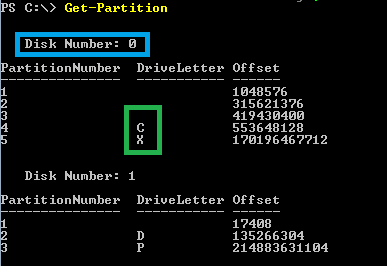
- Than use the
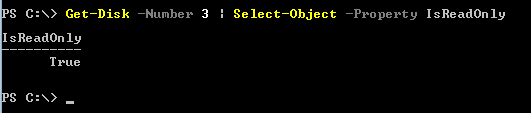
Get-Diskcmdlet to verify if this disk is write protected.Get-Disk -Number 3 | Select-Object -Property IsReadOnly
If the value is True than your disk is write protected.
How to remove the write protection
Just use the Set-Disk cmdlet.
Set-Disk -Number 3 -IsReadOnly $false
 itluke.online